Insights · SEO & AI search · 12 November 2026
Google Business Profile: A Setup Guide for Service Businesses
How to set up and optimise a Google Business Profile for a service business: name, categories, service areas, photos, reviews and replies, using Google’s own rules.
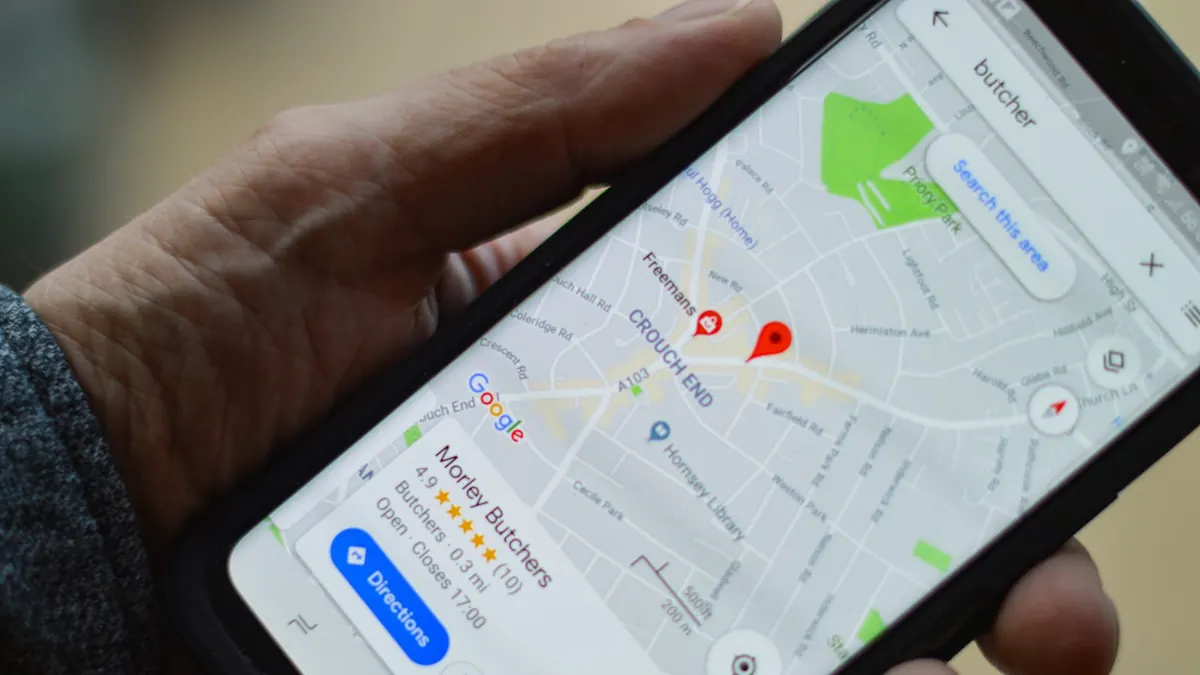
Google Business Profile optimisation means filling in your free Google listing completely and accurately, choosing the right categories, setting your service areas, and then keeping it active with photos and reviews you reply to. For a service business that travels to customers, such as a roofer, cleaner or electrician, the profile is often the first thing people see when they search for a trade near them. This guide walks through the setup in the order we do it, using Google’s own rules so nothing you do puts the profile at risk.
Key takeaways
- Google says local results are mainly based on relevance, distance and prominence, and there is no way to pay for a better local ranking.
- Use your real-world business name: Google does not allow marketing taglines, locations or service information in the name, and breaking this rule can get a profile suspended.
- If customers don’t visit you, hide your address and list up to 20 service areas, ideally within about two hours’ drive of your base.
- Choose as few categories as possible to describe your core business, and list individual services in the services section instead.
- Ask every happy customer for a review with your Google review link, reply to reviews, and never offer an incentive: Google treats that as fake engagement.
What is Google Business Profile optimisation?
It is the work of making your profile complete, accurate and active, so Google can match it to the right searches and customers trust what they see. Google’s help page on local ranking says local results are “mainly based on relevance, distance, and popularity”, with prominence described as how well-known a business is.
You can influence two of those three. Relevance comes from complete, accurate information. Prominence grows with reviews and with other websites mentioning and linking to you. Distance depends on where the searcher is, which you can’t change. Google is also clear that “there’s no way to request or pay for a better local ranking”, so be wary of anyone selling a guaranteed spot on the map.
How do you set up a Google Business Profile as a service business?
Create the profile at business.google.com, say you don’t have a storefront if customers never visit you, add your service areas, phone number and website, then verify. Google’s sign-up guide walks through each step.
- Search for your business first. If a profile already exists, claim it rather than creating a second one. Google says only one profile is allowed per business in the same metropolitan area, and duplicates can lead to suspension.
- Enter your business name exactly as customers know it (more on this below).
- Choose your primary category, the one that best describes the whole business.
- Tell Google whether customers visit you. If they don’t, choose no storefront and hide your address.
- Add your service areas, phone number and website.
- Verify the profile. Google says verification tells it you are authorised to represent the business, which makes the profile more likely to show in results. You also need a verified profile before you can reply to reviews.
What should your business name be on Google?
Your real-world name, as it appears on your van, website, invoices and stationery, and nothing more. Google’s guidelines say “including unnecessary information in your business name isn’t permitted” and that doing so could result in the suspension of your profile.
That rules out names like “Smith Roofing Best Roofer in Leeds 24/7”. The name must not include marketing taglines, opening hours, location information or service and product information. If you want Google to know you do emergency call-outs or serve a particular town, put that in your categories, services, service areas and description, where it belongs.
Should a service-area business hide its address?
Yes, if customers don’t come to you. Google’s guidelines say “if you’re a service-area business, you should hide your business address from customers”, and the sign-up guide says a business without a storefront where it receives customers must hide its address.
Then set your service areas. Google lets you add up to 20, and recommends that the overall area doesn’t extend farther than about two hours’ driving time from where your business is based. Pick the towns, cities or postcodes you genuinely cover. We run our own profile this way: Creative Growth Studios is a service-area business with the home address hidden and the region we serve listed instead.
How many categories should you choose?
As few as it takes to describe your core business. Google’s guidelines say to “use as few categories as possible to describe your overall core business”, and that the goal is to describe the business as a whole, not to list every service.
In practice, choose one primary category that matches what most of your work is (for example, roofing contractor or plumber), and add a secondary category only when it is a real, separate part of the business. Use the services section of the profile for the individual jobs you do, such as roof repairs, guttering or boiler servicing, each with a short plain description. This is the same idea as giving each main service its own page on your website, which we cover in our local SEO checklist for tradesmen.
What else should you fill in?
Everything that applies to you. Google’s local ranking advice starts with making your information “as complete as possible”, and warns that inaccurate information can stop the profile showing for relevant searches in your area.
- Hours, including special hours for public holidays, so customers don’t ring a closed business.
- Phone number that reaches your business directly. Google asks for a local number where possible, under your direct control, and not one that redirects to another business.
- Website link to your own site. Make sure the page it opens explains your services and has a clear way to get in touch.
- Business description in plain language: what you do, who for and where. Google’s guidelines say descriptions must not include links of any kind or focus on promotions, prices or sales.
- Photos of your real work, vans, tools and team. Google says photos and videos let you show customers what you offer and tell the story of your business. Use your own photos rather than stock images.
Keep the details identical everywhere. Your name, phone number and service areas should match your website and directory listings, which our article on how a strong online presence builds trust explains in more detail.
How do you get more Google reviews?
Ask every happy customer, every time, and make it take seconds. Google says “more reviews and positive ratings can help your business’s local ranking”, and reviews are one of the few signals of prominence you control directly.
- Get your review link or QR code. In your Business Profile, select Read reviews, then Get more reviews, and copy the link. Google notes that review QR codes can currently only be made in a computer browser, not on a phone.
- Put the link where the job ends: your thank-you email, invoice or the text you send when the work is done. Google suggests receipts and thank-you emails.
- Never offer an incentive. Google says offering incentives, like free or discounted goods or services, in exchange for reviews “is considered fake engagement and is strictly prohibited.” That includes discounts for a five-star review.
Customers need a Google Account to leave a review, so a short note saying so saves confusion. If you want the request to go out automatically after every finished job, that is the kind of follow-up our enquiry follow-up checklist covers.
How should you reply to reviews?
Reply to all of them, briefly and personally, including critical ones. Google says replying shows customers you value their feedback, and recommends being conversational rather than promotional, without using replies to offer deals.
Replies appear under the business name, not yours, and the reviewer is notified. Google checks replies against its content policies first, which usually takes up to ten minutes but can take up to 30 days. For a negative review, thank the customer, acknowledge the problem without arguing, and offer a way to sort it out offline. Future customers read your reply as much as the review.
How do you keep the profile working after setup?
Treat it like a shopfront you check once a month. A profile that is set up once and forgotten slowly drifts out of date.
- Update hours before holidays and when your availability changes.
- Add new photos of recent jobs.
- Reply to new reviews within a few days.
- Check that services, service areas and phone number still match your website.
- Watch which searches bring people to your website in Google Search Console. Our Google Search Console guide shows how.
Your profile and your website work together. The profile gets you seen in local results and on the map; the website is where people decide whether to call you. That is why our SEO packages start with the profile and the pages it links to, and why our page on websites for trades and home services treats both as one job. You will find more on local search in our SEO and AI search articles.
Next steps
Start with the fixes that cost nothing: check your business name, hide your address if customers don’t visit you, trim your categories and send your review link to your last few happy customers. If you would like a second pair of eyes, our free website check looks at your site and how it connects to your Google profile, and we give you a fixed quote for anything you want us to do.
Sources
- Tips to improve your local ranking on Google, Google Business Profile Help
- Guidelines for representing your business on Google, Google Business Profile Help
- Sign up for Business Profile, Google Business Profile Help
- Create a Google link or QR code to request reviews, Google Business Profile Help
- Manage customer reviews, Google Business Profile Help
FAQ
Common questions.
Can I pay Google to rank higher on the map?
No. Google says there is no way to request or pay for a better local ranking. Local results are mainly based on relevance, distance and prominence.
Can I have a Google Business Profile without a shop or office?
Yes. Choose no storefront when you set it up, hide your address and add the areas you serve. Google lets you list up to 20 service areas.
Can I add keywords to my business name on Google?
No. Google requires your real-world business name and does not allow taglines, locations or service information in it. Extra words can get the profile suspended.
How do I get my Google review link?
In your Business Profile, select Read reviews, then Get more reviews, and copy the link or download the QR code. Send it in your thank-you email or invoice.
Can I offer a discount for a Google review?
No. Google treats incentives such as free or discounted goods or services in exchange for reviews as fake engagement, which is strictly prohibited.
Keep reading.
 SEO & AI search
Google Search Console for Beginners: A Small Business Guide
What Google Search Console shows, how to set it up, and the four reports a small business owner should check each month, in plain English.
 SEO & AI search
How to Show Up in AI Search Answers
How ChatGPT, Perplexity and Google AI Overviews choose which businesses to mention, and the practical steps that make your business easier to find and cite.
 SEO & AI search
Local SEO for Tradesmen: A Practical Checklist
What roofers, builders, joiners and other trades can do to show up when people nearby search for their services.

Want your profile and website working together?
Start with the free website check, then choose the level of help you need.
Free website check